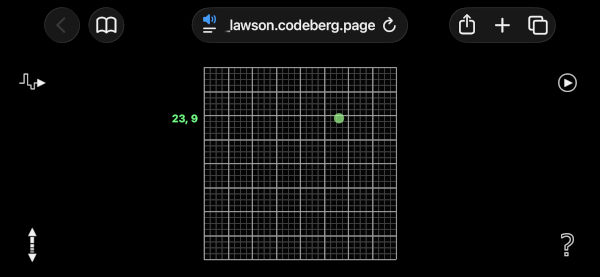
The Goldberg Variations Web is an interactive arrangement of the identically named masterpiece by Johann Sebastian Bach. Our modification allows control over performance variables such as tempo and volume as well as re-mix operations and looping. This app defines a finite space of audio exploration, yet like chess, has the appearance and feel of infinite possibilities. This is similar to the live-coding graphics work, with two exceptions: it employs sound instead of image, and the finite space of exploration is smaller.
The Goldberg Variations Web was developed by Michael Century and Shawn Lawson.
Android Users:
Motion detection should work as expected, allow browser to access motion sensor. Please be sure volume is on.
iOS Users:
For the best experience, please enable Guided Access.
First time
1. Go to your device’s Settings > Accessibility > Guided Access and turn it on.
2. Further down the page you may also want to set Display Auto-Lock to Never.
3. Triple-click the right side button to start Guided Access.
4. To access Guided Access, again, do a triple-click on the right side button.
5. Enter password.
6. Select Session Settings button from bottom of screen.
7. Disable the motion option.
8. Press done button.
9. Press resume button in top-right.
10. Experience Goldberg Variations Web.
11. Triple-click the right side button to end Guided Access to exit Guided Access
12. Enter password
13. Choose End button in top-left
Every other time
1. Triple-click the right side button to start Guided Access
2. Experience Goldberg Variations Web
3. Triple-click the right side button to end Guided Access
4. Enter password
5. Choose End button in top-left
Web version is here:
https://Shawn_Lawson.codeberg.page/goldberg_variations